 Open
OpenSettings
Video course · OpenNCCM from scratch · in Spanish
Ajustes de seguridad (y cierre)
Lesson 9.3 of 30 · Module 9 · Administration
See the full courseSettings are in Administration → Settings, split into sections chosen on the left: Security and access, Organization, Change workflow, Notifications, End of life (Cisco EoX), Vulnerabilities (NVD), Network map, Git copy, Disaster recovery and Updates. When you change any field, the You have unsaved changes bar appears at the bottom with Discard and Save settings; if you try to leave the page without saving, the browser warns you.
Security and access
Section titled “Security and access”| Setting | What it does |
|---|---|
| Sign out after N minutes of inactivity | 5 to 720 minutes (30 by default). |
| “Remember me” keeps the session open for N days | 1 to 30 days (14 by default); 0 removes the checkbox from the sign-in screen. Remembered sessions do not close for inactivity. |
| Require two-step verification for administrators | An administrator without it can only reach “My account” until they turn it on. |
| Default language | Spanish or English for anyone who has not chosen a language and whose browser does not ask for an available one. |
| Web SSH console | Who can open it and whether it signs in with the device’s credential (see Console). |
Sign-in with Active Directory and Microsoft Entra ID
Section titled “Sign-in with Active Directory and Microsoft Entra ID”In Settings → Sign-in you can let people sign in with their organization account. OpenNCCM local accounts always keep working (for example, the account of the administrator who installed it).
| Directory | How users sign in | What to configure |
|---|---|---|
| Active Directory (LDAP) | With the same form: user (or user@domain) and their network password. | Server (ldaps://dc01.company.local, or ldap:// with StartTLS), search base, a service account with read permission, the user filter and the groups for each role. Test connection checks the service account and, if you type a test user, which role they would get. |
| Microsoft Entra ID (Azure AD) | Sign in with Microsoft button on the sign-in screen (single sign-on with Microsoft 365). | Register an application in Entra ID → App registrations with the redirect URI shown on the page, and copy the directory (tenant) ID, the application ID and a client secret. To assign roles, add the groups claim in Token configuration (or use app roles) and enter each group’s Object ID. |
- Roles: each role (administrator, operator, viewer) is mapped to one or more groups (separated with “;”); if someone is in several, they get the highest role. Nested groups are supported in Active Directory. Anyone not in any group cannot sign in, unless a default role is chosen.
- Accounts: the account is created in OpenNCCM on first sign-in and its role is updated on every sign-in. Users marks its origin (AD or Microsoft); its password is not stored in OpenNCCM and is changed in the directory. Administrators can deactivate it or restrict it to device groups like any other. A local account with the same name is never taken over from the directory.
- Security: Microsoft sign-in uses the authorization code flow with PKCE, state and nonce, and validates the token’s signature, issuer, audience and expiry. OpenNCCM’s two-step verification, lockouts after failed attempts and the audit log also apply to these accounts. The service account password and the client secret are stored encrypted.
- Other providers: in Advanced options, the discovery URL lets you use any OpenID Connect provider (Google Workspace, Keycloak, Okta…), with the button text you want.
Organization details
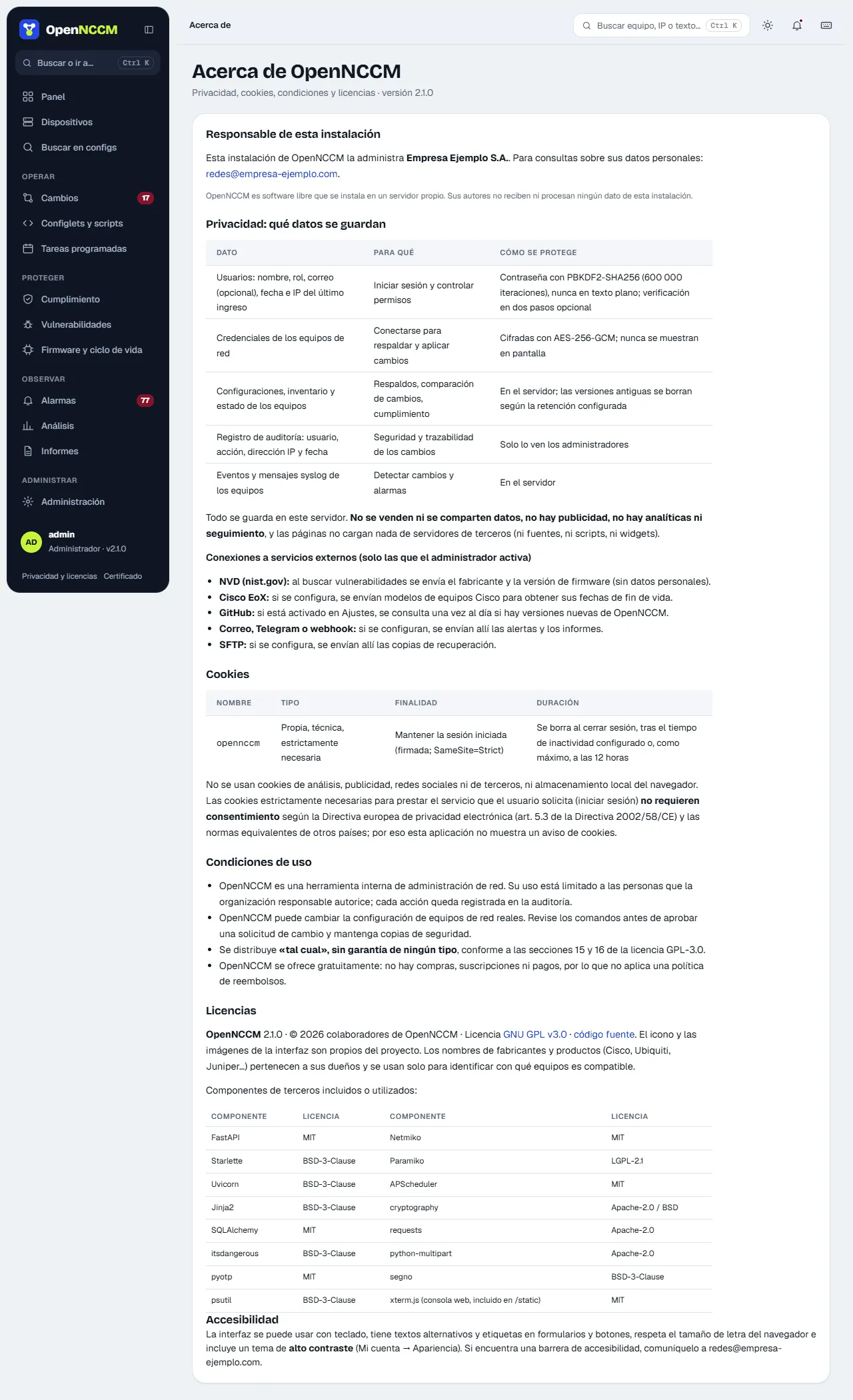
Section titled “Organization details”Name, contact email and address of whoever runs this installation. They are shown on the Privacy, cookies and licenses page (link at the bottom of every page and on the sign-in screen), which explains what data OpenNCCM keeps, its external connections, the only cookie it uses (technical, no consent needed), the terms of use and the licenses.
| Section | Options |
|---|---|
| Change workflow | Requires approval or direct execution · self-approval · report violations · versions to keep |
| Notifications | Minimum severity · SMTP · recipients · webhook · Telegram · test notification |
| End of life (Cisco EoX) | Client ID and Secret for lifecycle dates |
| Disaster recovery | Backups to keep · remote SFTP server (server, port, user, password, folder) |
| Updates | Check for new versions every day and notify administrators |
SMTP, Cisco API and SFTP passwords are stored encrypted and not shown: the form says “(saved)”.