 Open
OpenBackups and moving servers
OpenNCCM backups and how to restore them on the same server or a new one.
Video course · OpenNCCM from scratch · in Spanish
Copias y actualizaciones
Lesson 9.2 of 30 · Module 9 · Administration
See the full courseOpenNCCM keeps everything important in two places:
| Path | Contents |
|---|---|
/var/lib/opennccm |
Database (configurations, history, users, policies), firmware images and backups. |
/etc/opennccm |
secret.key (encryption key) and opennccm.env (service configuration). |
From the interface
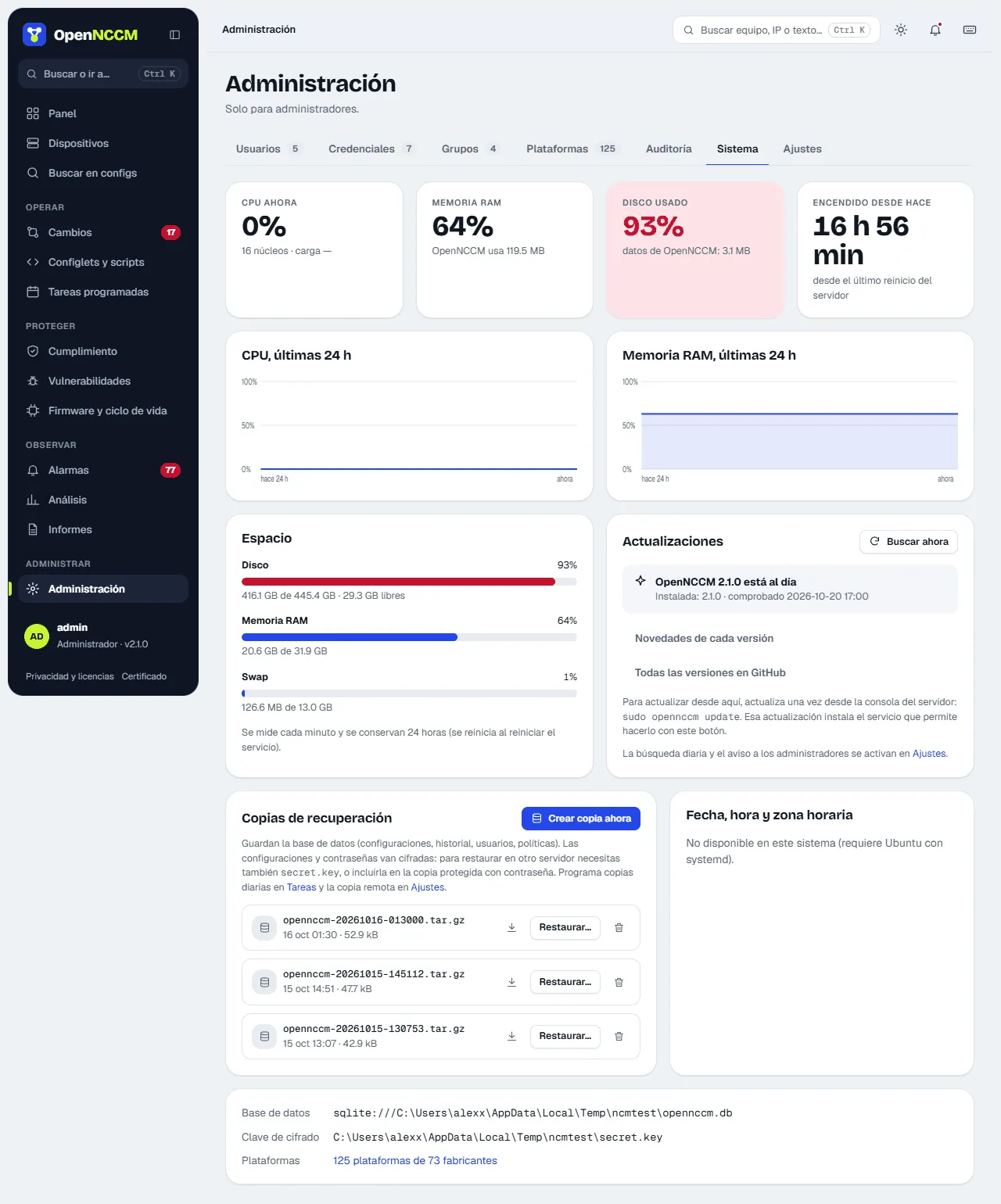
Section titled “From the interface”System → Create backup now menu. Schedule the daily backup in Tasks and, in Settings → Disaster recovery, set how many backups to keep and a remote SFTP server to send each backup to.
From the console
Section titled “From the console”sudo opennccm backup # without the keysudo opennccm backup --with-key # includes secret.key: protect the fileRestore (on the same server or a new one)
Section titled “Restore (on the same server or a new one)”- On a new server, install OpenNCCM first (see Install on Ubuntu).
- If the backup does not include the key, copy the original
secret.keyto/etc/opennccm/secret.key. - Restore:
sudo opennccm restore /path/opennccm-YYYYMMDD-HHMMSS.tar.gzThe command stops the service, restores and starts it again.