Open
OpenAlarms and notifications
Video course · OpenNCCM from scratch · in Spanish
Alarmas y notificaciones
Lesson 8.1 of 30 · Module 8 · Monitor
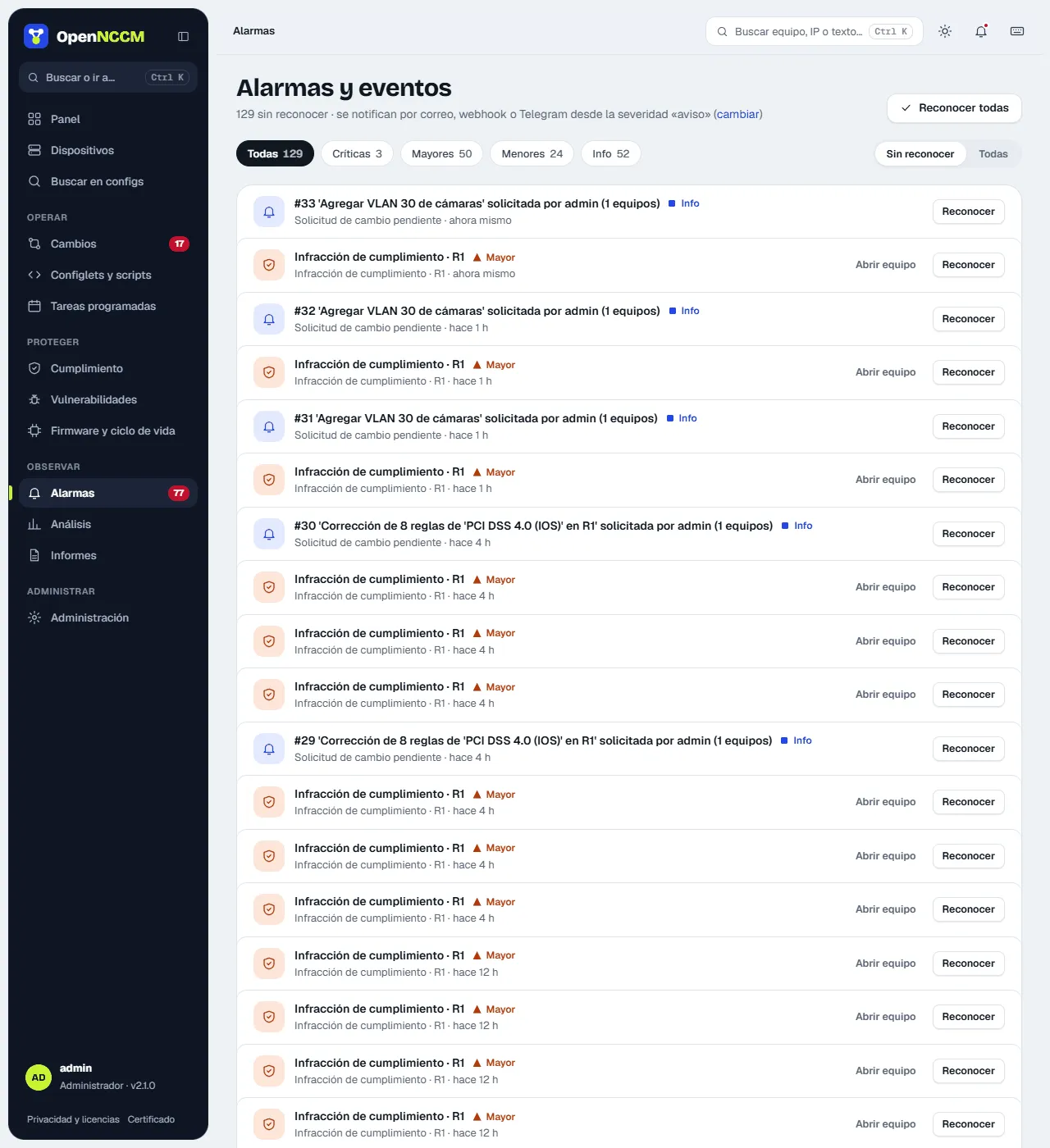
See the full courseEverything relevant generates an event with a color-coded severity:
| Severity | Examples |
|---|---|
| critical | Automatic rollback, critical vulnerability, recovery backup failure |
| major | Failed backup, critical compliance violation, failed request |
| warning | Configuration change, startup/running conflict, baseline drift, violations |
| info | Syslog received, request pending or executed, backups created |
Alarms opens on Unacknowledged (or All), with chips per severity and their count. Each alarm shows the device and how long ago it happened (the full detail appears on hover), with Open device and Acknowledge; you can also acknowledge them all (with Undo in the notice). Those with a severity equal to or above the one set in Settings are sent by email, webhook (Teams, Slack…) and/or Telegram.
Set up notifications
Section titled “Set up notifications”Settings → Notifications menu. Set up one or more channels and click Send test notification.
| Channel | What to fill in |
|---|---|
| SMTP server, port (587 with STARTTLS or 465 with SSL), user, password, sender and comma-separated recipients. | |
| Microsoft Teams / Slack / Mattermost / Google Chat | The channel’s incoming webhook URL. |
| Telegram | Bot token (from @BotFather) and the chat or group ID. |
The “minimum severity” decides what is notified: warning sends configuration changes, violations and failures; critical only automatic rollbacks and critical vulnerabilities.