 Open
OpenInstall on Ubuntu
One command and a few minutes.
Video course · OpenNCCM from scratch · in Spanish
Instala OpenNCCM con install.sh
Lesson 1.3 of 30 · Module 1 · Installation
OpenNCCM is installed straight from its GitHub repository. On the server console run:
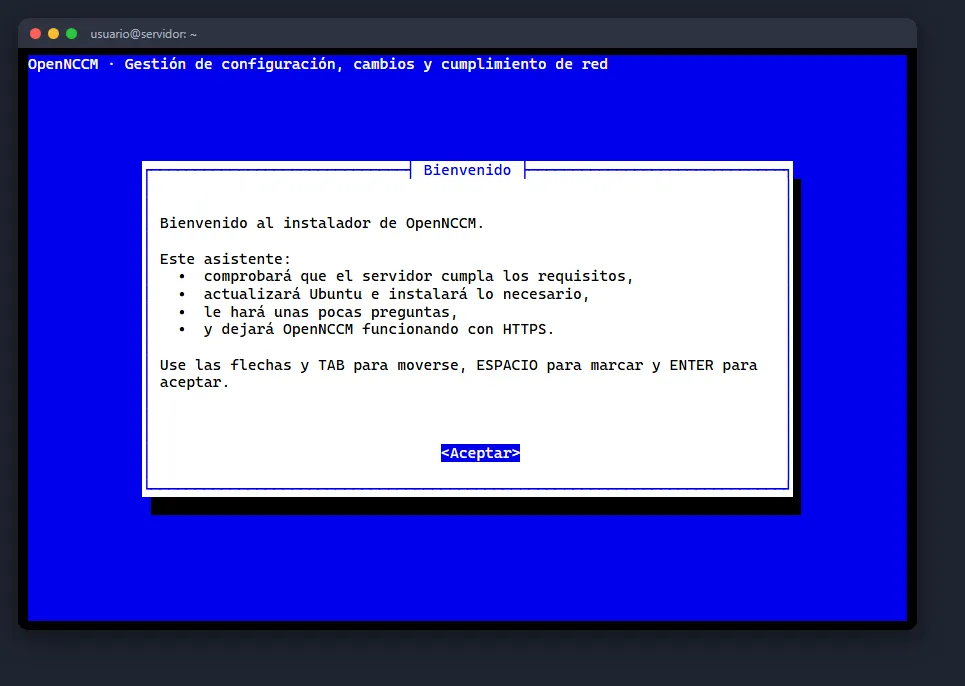
curl -fsSL https://raw.githubusercontent.com/Gaaraalex/opennccm/main/install.sh -o install.shsudo bash install.shA menu-driven wizard opens. Move with the arrow keys and Tab, select options with the space bar and confirm with Enter. Pressing Enter on every screen gives you a secure installation with the recommended values.
Welcome and server check
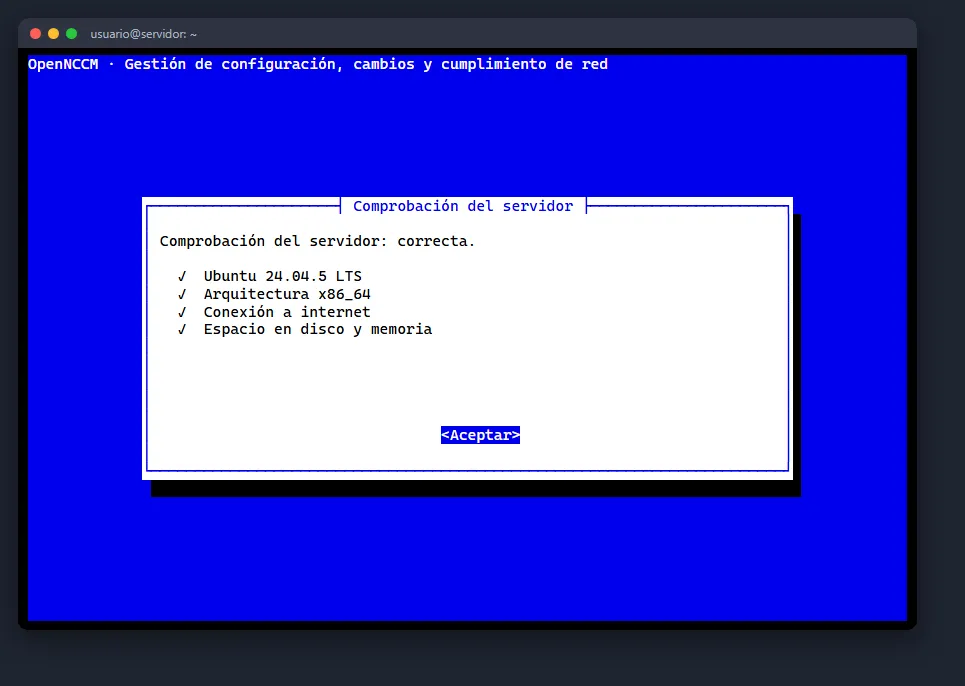
Section titled “Welcome and server check”Before asking anything, the installer checks that the server runs 64-bit Ubuntu 22.04 or 24.04, that it can reach the internet and GitHub, that there is enough disk (3 GB free) and memory, and that port 443 is free. If anything prevents the installation, it explains why and stops without touching anything.
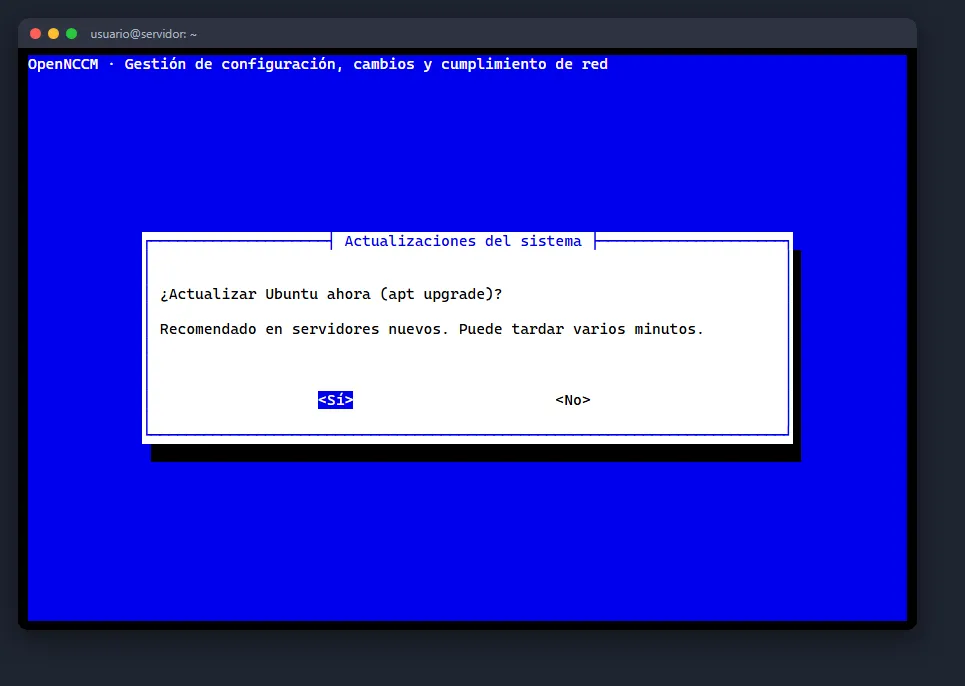
Ubuntu updates
Section titled “Ubuntu updates”Recommended on new servers: it runs apt update and apt full-upgrade. Either way, the installer only installs the packages that are missing (git, Python 3, nginx, whiptail, openssl, etc.).
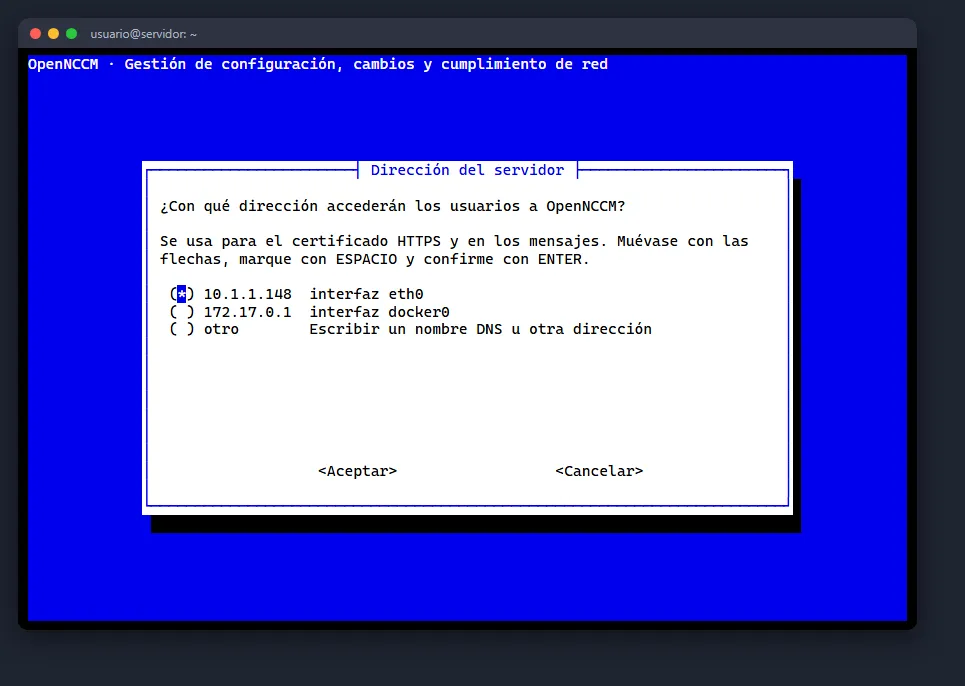
Address, time zone and HTTPS access
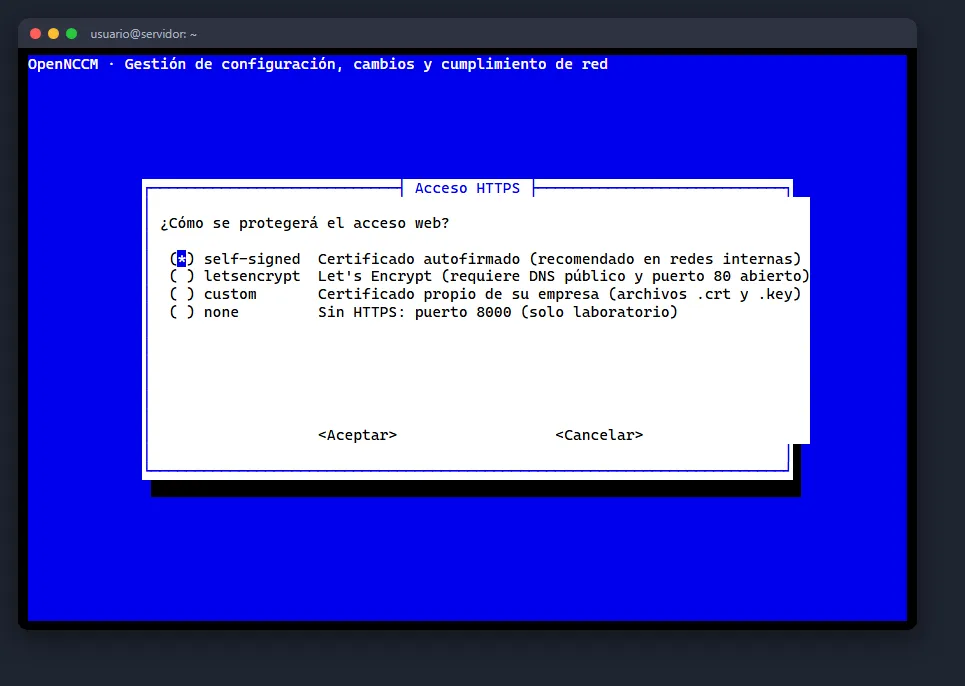
Section titled “Address, time zone and HTTPS access”The wizard detects the server’s IP addresses; choose the one users will connect to or type a DNS name. Then confirm the time zone (if it is wrong, choose region and city in two menus) and the type of web access:
| Option | When to use it |
|---|---|
| Self-signed certificate | Internal networks (recommended). The browser shows a warning the first time. |
| Let’s Encrypt | If the server has a public DNS name and port 80 reachable from the internet. |
| Your own certificate | If your company issues certificates: give the paths of the .crt and .key copied to the server. |
| No HTTPS | Lab use only: the application stays on port 8000, unencrypted. |
Database and firewall
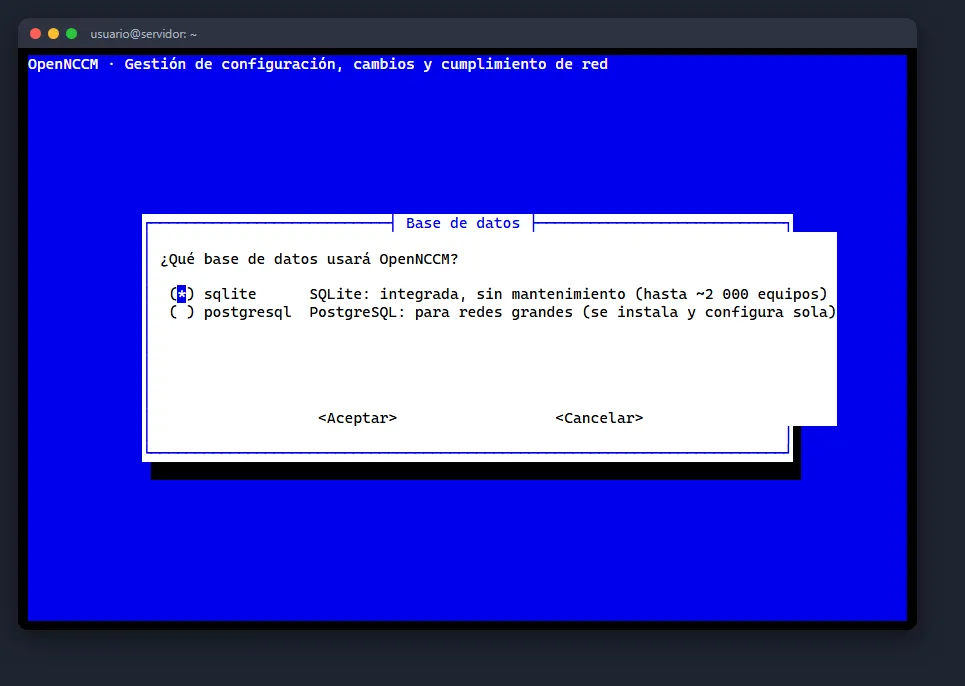
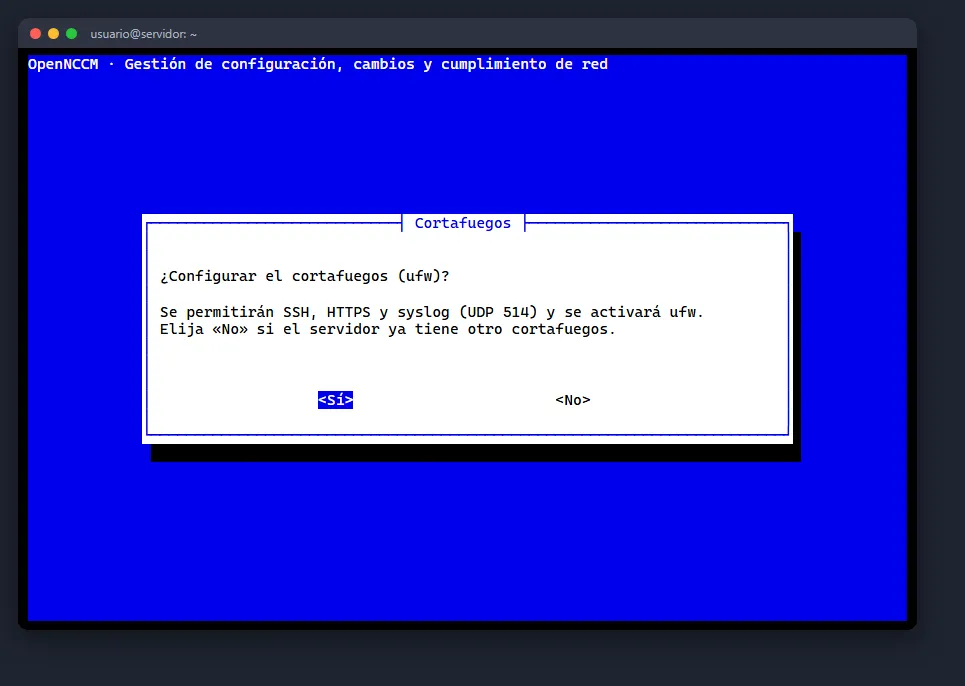
Section titled “Database and firewall”SQLite is built in and needs no maintenance (up to about 2,000 devices). If you choose PostgreSQL, the installer installs it, creates the database and a user with a random password, and configures it. The ufw firewall is enabled allowing SSH, HTTPS and syslog; choose “No” if the server already has another firewall.
Administrator and email
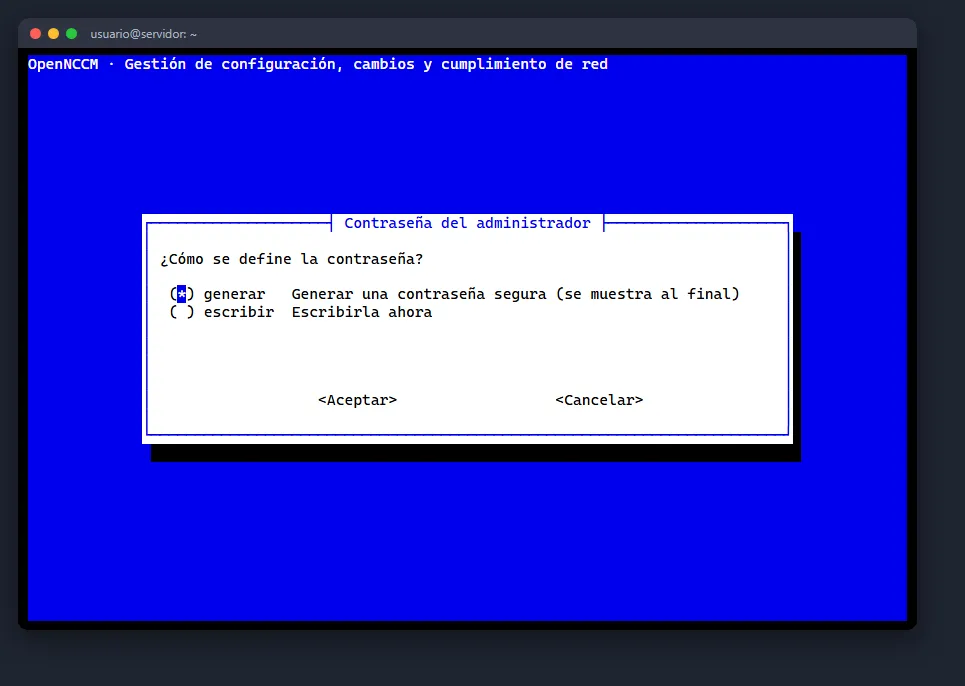
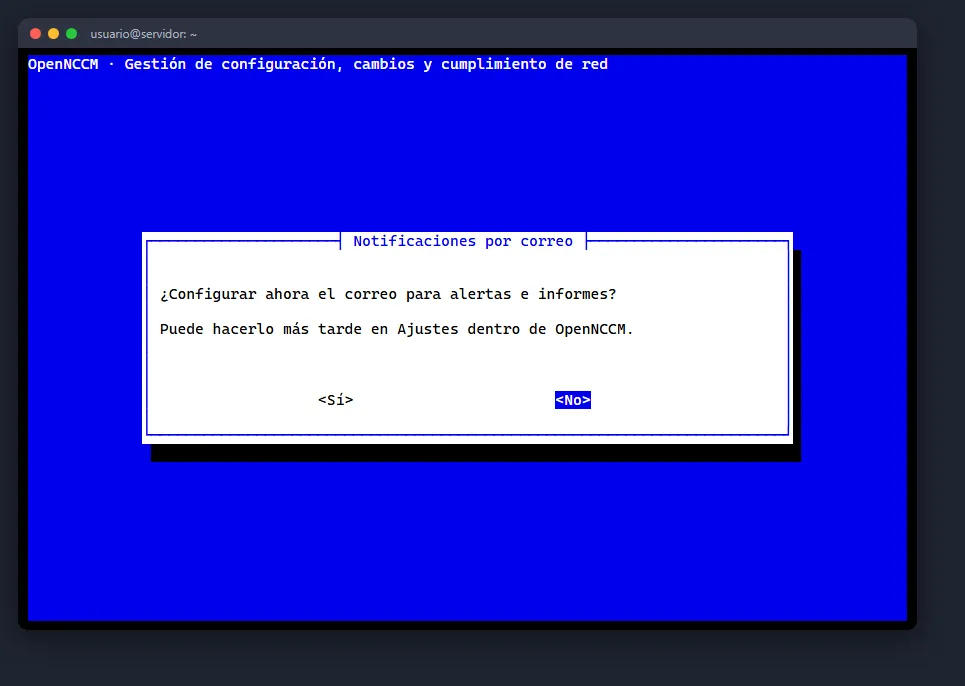
Section titled “Administrator and email”Set the administrator’s user name and choose between generating a strong password (shown at the end) or typing it twice (at least 8 characters). Optionally set up email for alerts; you can also do it later in Settings.
Summary, installation and result
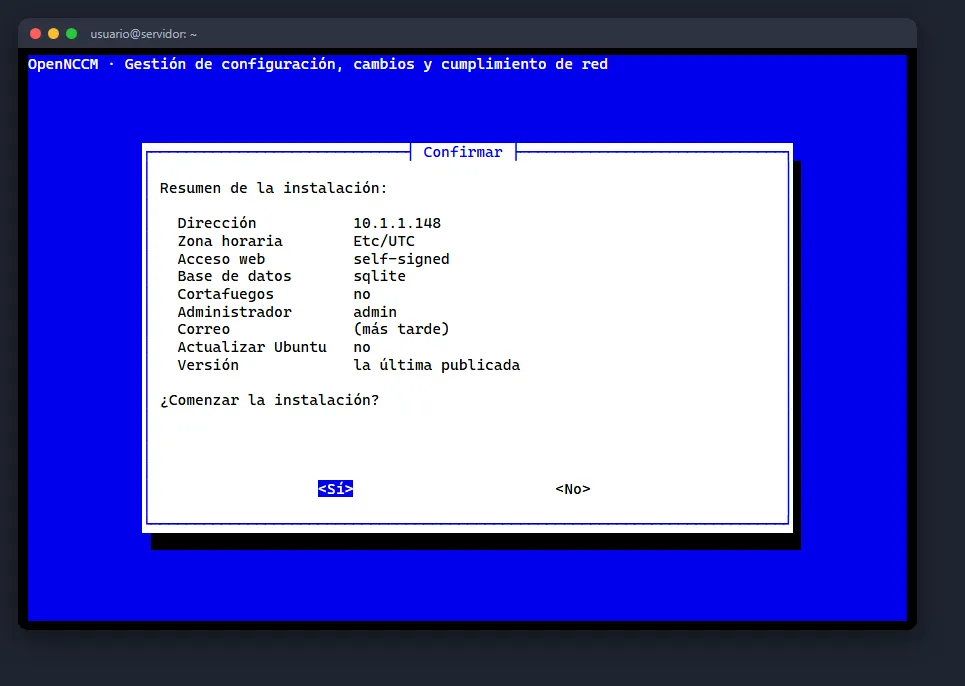
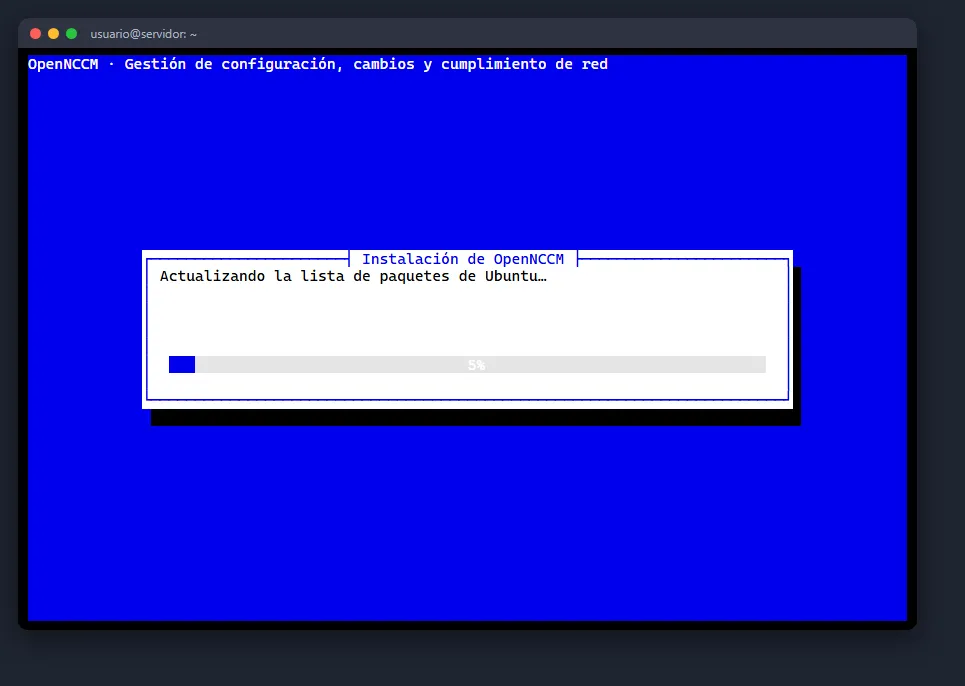
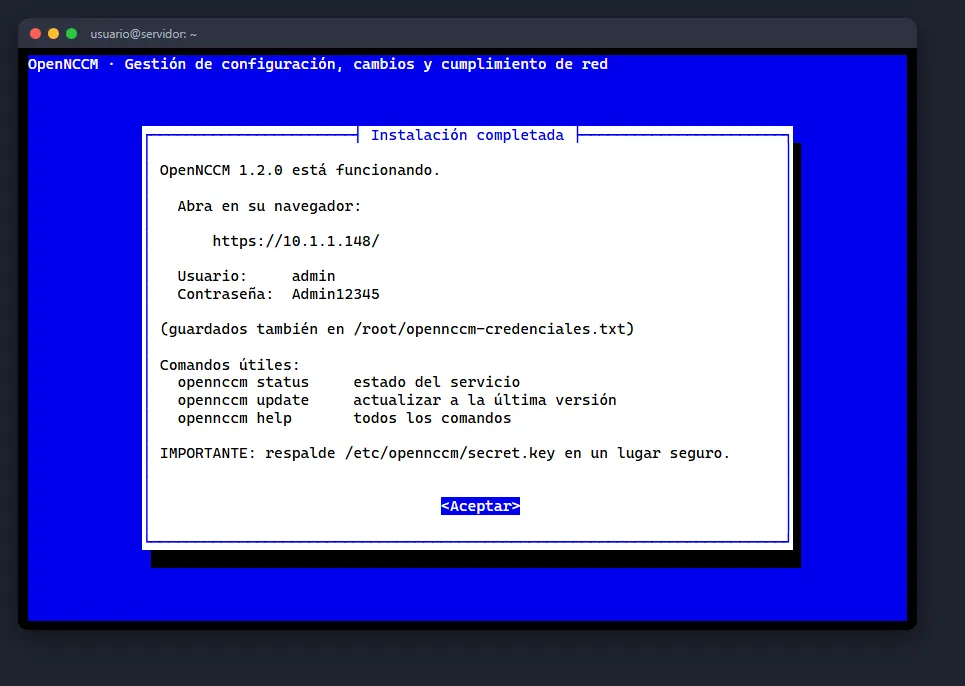
Section titled “Summary, installation and result”Review the summary and confirm. A progress bar shows each step; everything is logged to /var/log/opennccm-install.log. When it finishes it shows the access address and the credentials, which are also saved in /root/opennccm-credenciales.txt (delete it after changing the password).
Check that the service is running
Section titled “Check that the service is running”opennccm statusOpenNCCM 1.2.0✓ Servicio: activo✓ Aplicación: responde Acceso: https://IP_DEL_SERVIDOR/Unattended installation
Section titled “Unattended installation”To automate (scripts, Ansible, VM templates) add --unattended and the options you need. No questions are asked; anything you leave out takes its default value.
curl -fsSL https://raw.githubusercontent.com/Gaaraalex/opennccm/main/install.sh | \ sudo bash -s -- --unattended --host 10.0.0.5 --timezone America/Mexico_City --admin-pass 'UnaClaveSegura123'| Option | Use |
|---|---|
| `–host IP | NAME` |
--timezone ZONE |
Time zone (default: the current one) |
| `–tls self-signed | letsencrypt |
--domain NAME --email EMAIL |
Let’s Encrypt details |
--cert FILE --key FILE |
Your own certificate |
| `–db sqlite | postgresql` |
| `–firewall yes | no` |
--admin-user, --admin-pass |
Initial administrator (without --admin-pass a password is generated) |
--smtp-host, --smtp-port, --smtp-user, --smtp-pass, --smtp-from, --alert-emails |
Email for alerts |
--syslog-port PORT |
UDP port of the syslog receiver (default 514) |
--no-upgrade |
Do not update Ubuntu |
--version vX.Y.Z / --channel main |
A specific version / the development branch |
--reinstall |
Repeat the installation over an existing one (keeps the data) |
Full help: curl -fsSL …/install.sh | sudo bash -s -- --help.
Install without direct access to GitHub
Section titled “Install without direct access to GitHub”If the server cannot reach the internet, download the opennccm-X.Y.Z.tar.gz file from the repository’s Releases page on another machine, copy it to the server and run sudo bash install.sh --source $(pwd) inside the extracted folder. You still need access to the Ubuntu and Python repositories (or a proxy).
What the installer does
Section titled “What the installer does”If you run the command again on a server where OpenNCCM is already installed, the installer detects it and offers to upgrade instead (see Upgrade and roll back).
First login
Section titled “First login”- On your PC open the browser and go to
https://SERVER_IP/. - The first time, the browser warns that the connection “is not private”: OpenNCCM uses a certificate from its own certificate authority, which your PC does not know yet. Click Advanced → Continue and then install that authority (see HTTPS and firewall): the warning disappears and the browser offers to save the user name and password.
- Sign in with the user name and password shown by the installer (they are also in
/root/opennccm-credenciales.txt).
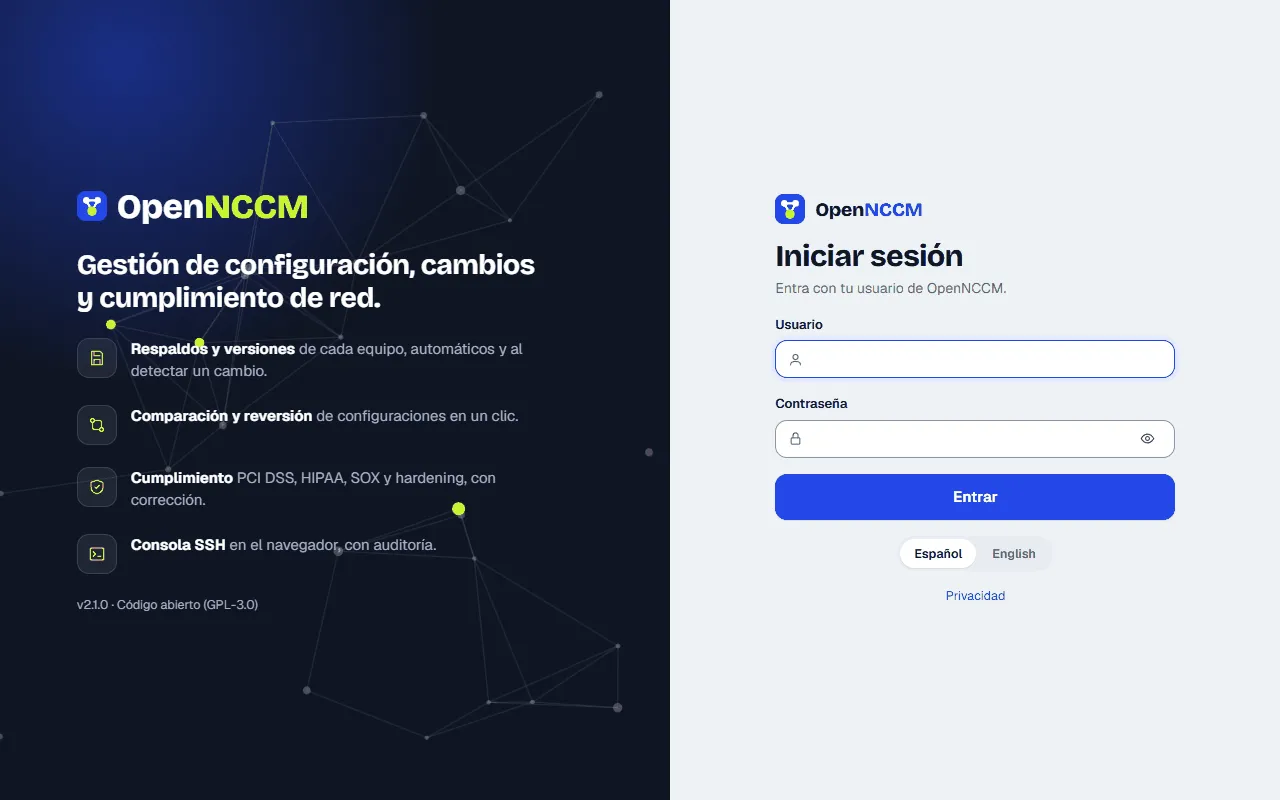
- Change the password right away: click your user name (top right) → My account.
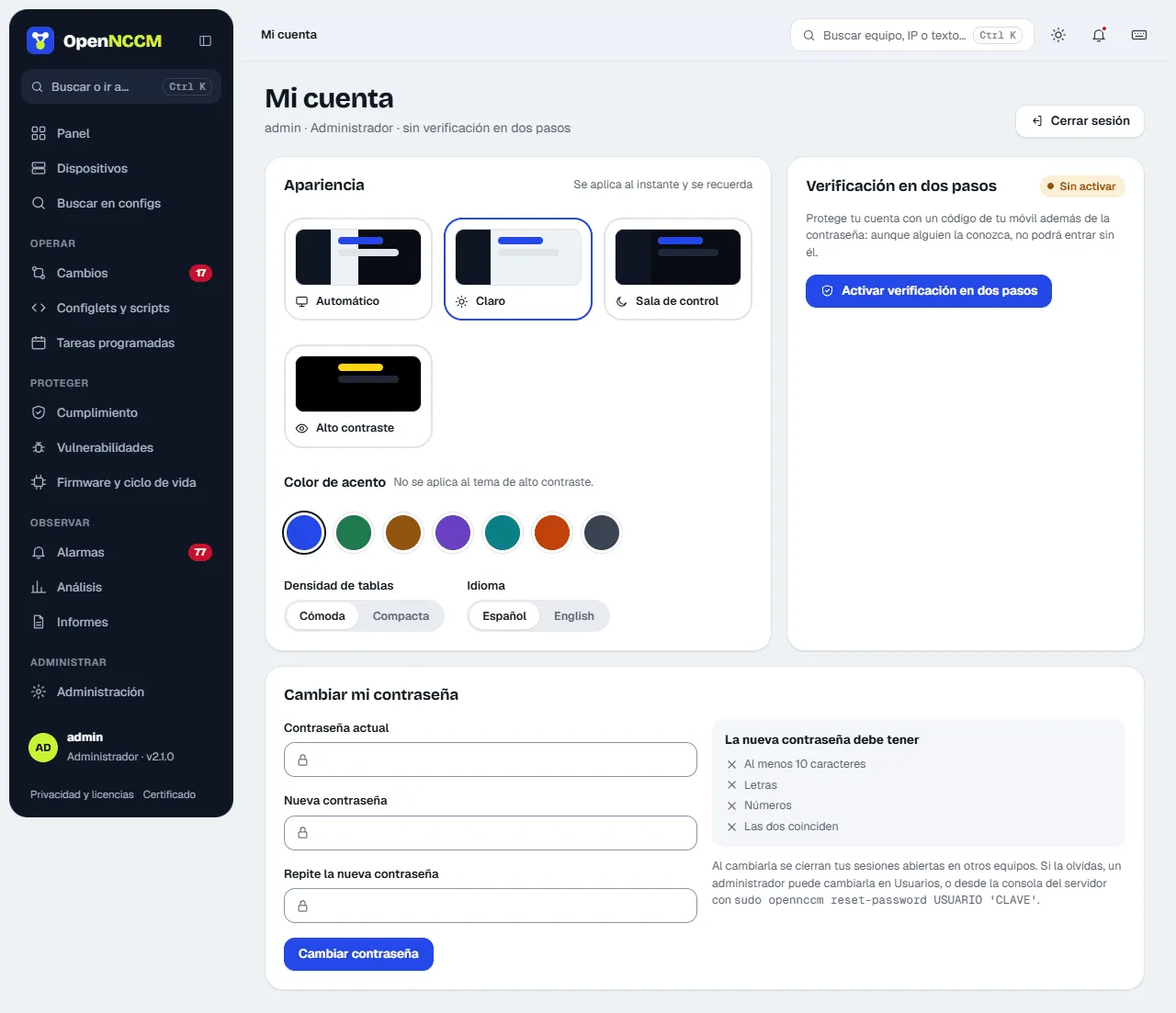
- Recommended: in My account turn on two-step verification with an authenticator app on your phone.