Open
OpenAdd your first device
Adding devices, CSV import and the first backup.
Video course · OpenNCCM from scratch · in Spanish
Agrega tu primer equipo
Lesson 3.2 of 30 · Module 3 · Your devices
Add devices
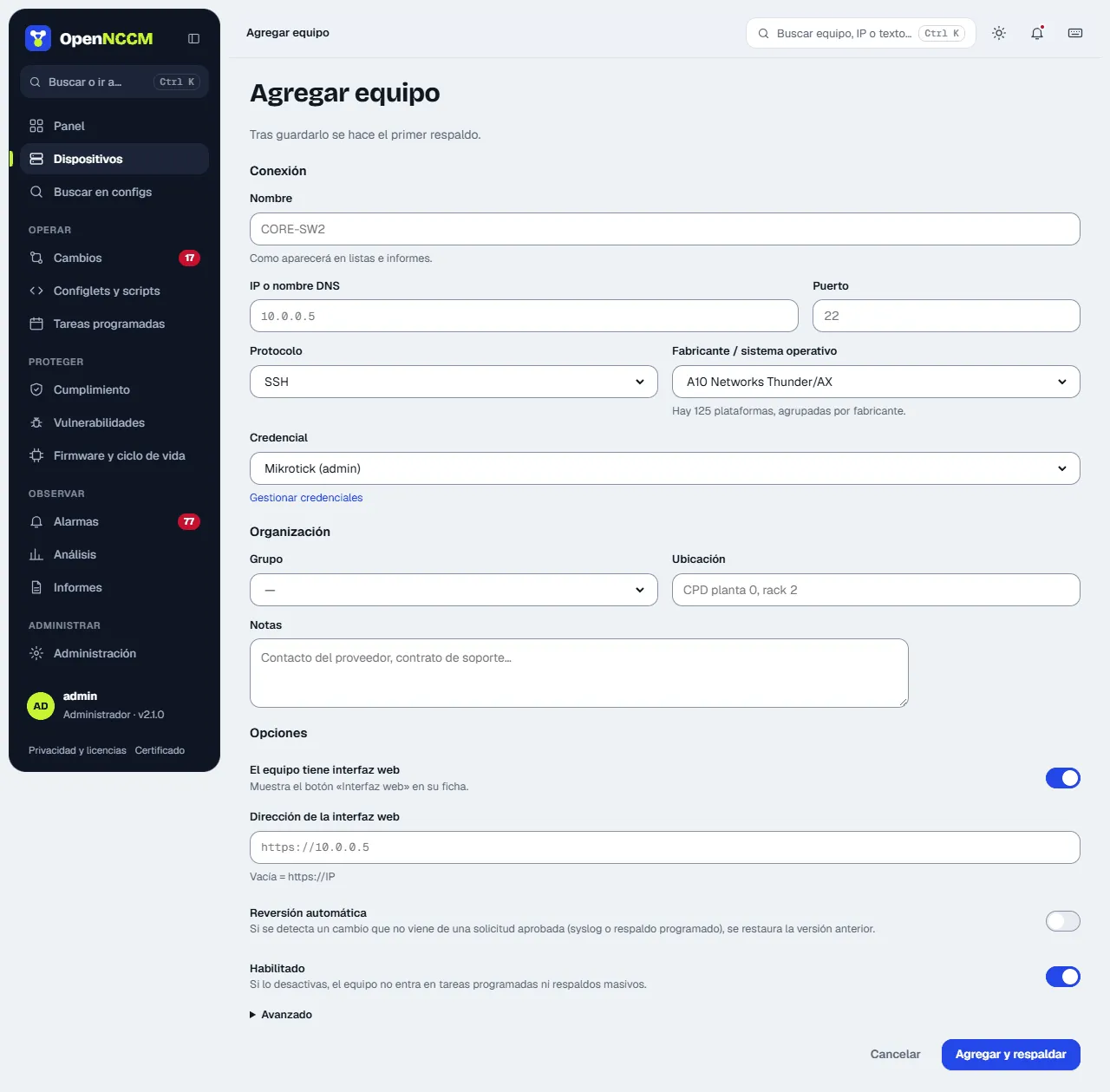
Section titled “Add devices”Devices → + Add menu. Fill in name, IP, vendor/operating system, protocol, credential and group. When you save, OpenNCCM takes the first backup automatically.
Bulk import from CSV
Section titled “Bulk import from CSV”For many devices, prepare a CSV in Excel (save as “CSV UTF-8”) with these columns and upload it at the bottom of the Devices page:
name,host,device_type,credential,group,port,protocol,locationcore-sw1,10.0.0.1,cisco_ios,net-admin,Core,22,ssh,Datacenterfw-01,10.0.0.254,fortinet,firewalls,Security,22,ssh,Datacenteredge-r1,10.0.1.1,juniper_junos,net-admin,WAN,22,ssh,North BranchThe device_type value of each platform is in Administration → Platforms (the /vendors page). Groups that do not exist are created automatically.
Check the first backup
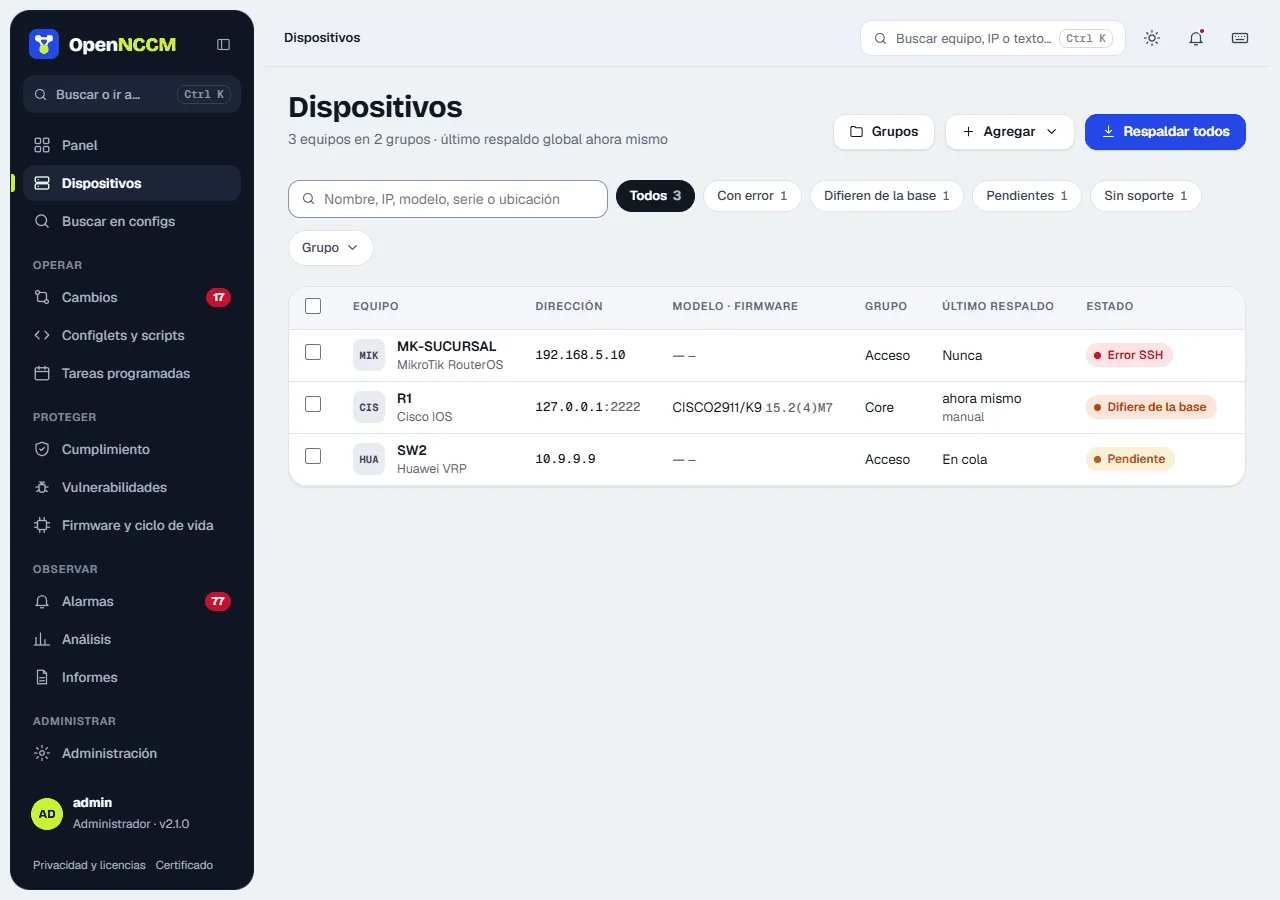
Section titled “Check the first backup”Open the device. If the status is ok you will see its model, serial number, firmware version and the first configuration version. If it is error, the red box gives the cause (see Troubleshooting).