Open
OpenSupported platforms
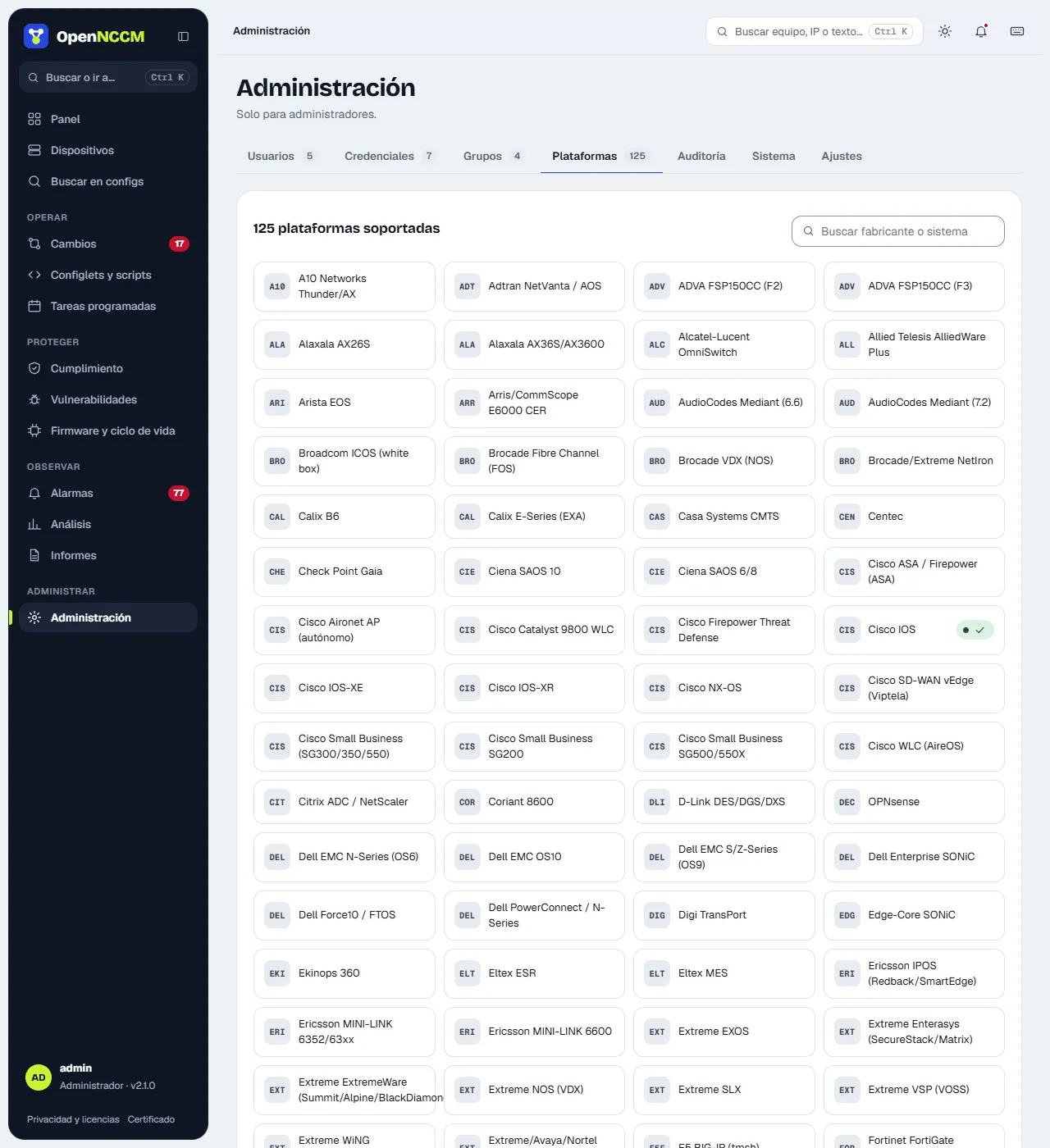
Administration → Platforms. It shows the 131 platforms as cards (those verified on your network carry a mark) and, in Commands per platform, their device_type and the commands run on each: backup, startup (to detect unsaved changes) and inventory (model, serial and version); also the rollback type and whether firmware upgrades are supported.
- Search and vendor filter; the Only those on my network box shows only the platforms you use.
- Verified on your network: marked only when a device of that platform completes its first successful backup, with the number of devices and the date (and whether it uses a custom command).
- to be verified: command taken from the vendor’s documentation, not yet tested on a real device.
The configuration is obtained by showing the command’s output within the same SSH session: no files are created on the device and no FTP/TFTP is needed. If a command does not work for your version, set a custom backup command on the device. For devices without their own profile (SonicWall, Riverbed, Infoblox…) use Generic SSH with a custom command.
pfSense and OPNsense have their own profile: OpenNCCM goes through the console menu (option “8) Shell”) and backs up the complete config.xml file, the same one the web interface exports. Use the admin/root user (only root can read the file); the inventory brings version, model and serial number. Changes are still made from the firewall’s web interface. Alpine Linux backs up network, DNS, installed packages (apk world), services, SSH and firewall rules.
Ubuntu Server / Debian (Ubuntu 26.04, 24.04 and 22.04 LTS; Debian 12 and 13) backs up text configuration only: name, network (netplan or /etc/network/interfaces), DNS, SSH, accounts and groups, sudo, repositories, manually installed packages (not each one’s version, which changes daily), enabled services, cron jobs, time (chrony or timesyncd) and firewall (ufw, iptables and nftables, without packet counters). It never copies passwords (/etc/shadow), private keys, certificates or data, and netplan Wi-Fi passwords come out as ***. A typical backup takes about 20–60 KB. Some files (netplan, root’s crontab) and the firewall can only be read as root: give the OpenNCCM user passwordless sudo, ideally only for those read commands; without sudo the rest is backed up. The inventory reads the version from /etc/os-release, and Available updates reports the new LTS and the end-of-support date.
Ubiquiti airMAX, airFiber and UniFi. airMAX M (M2, M5 with airOS 6), airMAX AC (airOS 8), airFiber (AF5XHD, AF60, AF24HD, AF5X) and UniFi APs keep their whole configuration in /tmp/system.cfg, which is what gets backed up; version and model come from /etc/version and /etc/board.info (or from info on UniFi). The USG is backed up with show configuration commands. UniFi switches, APs and USGs are configured by the UniFi Network controller: changes and their rollback are made there. To return to an airOS version: System › Configuration Management › Upload Configuration.
MikroTik SwitchOS (SwOS and SwOS Lite) has no SSH: OpenNCCM downloads over HTTP (port 80) the same backup.swb backup as its web interface, and reads the model, version and serial from it. It does not support command-based changes or the console; to restore, use Restore Backup in SwitchOS with the downloaded file.