Open
OpenAPI
API tokens and available requests.
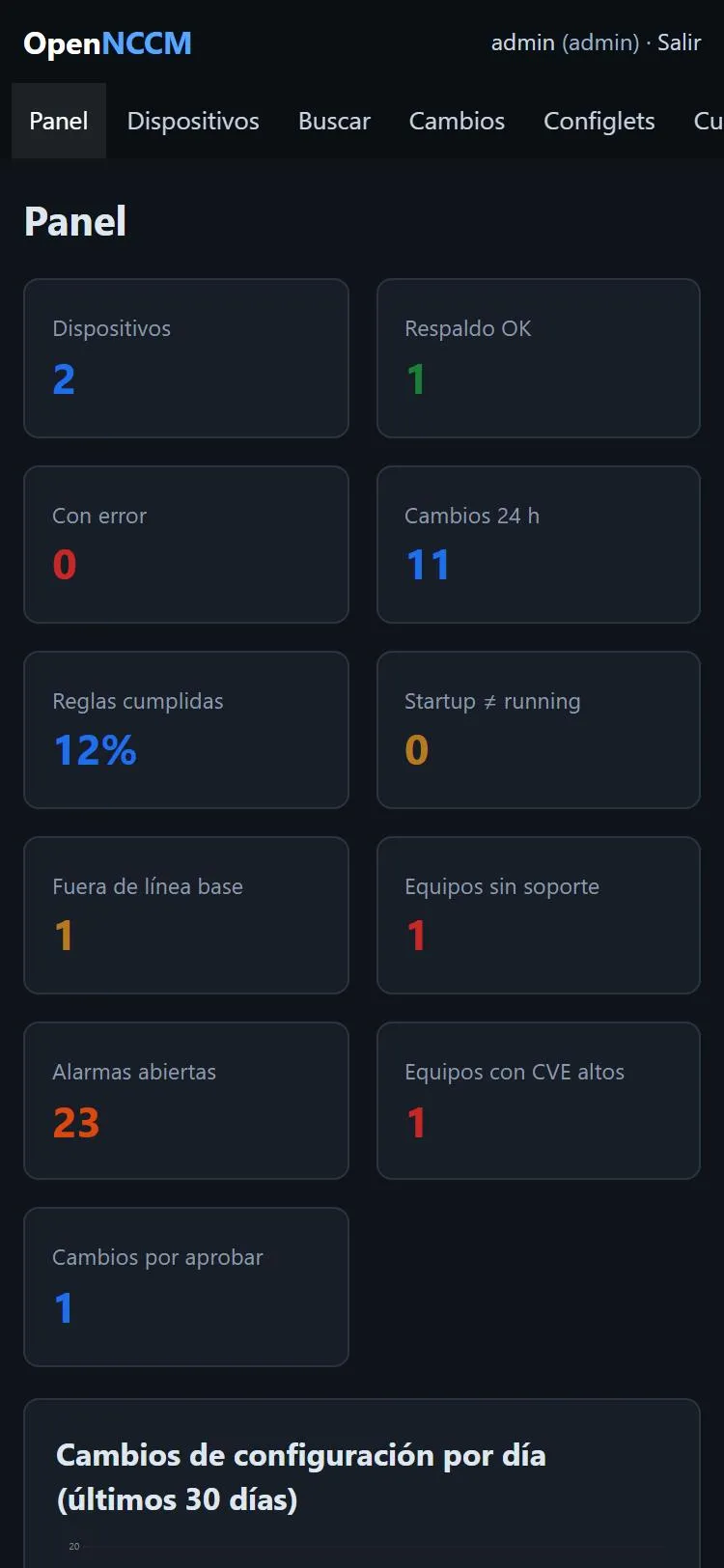
The interface adapts to small screens: a bar with Dashboard, Devices, Changes, Alarms and More (which opens the full sidebar) appears at the bottom and the indicators are shown in two columns. If the phone uses a dark theme, so does the application.
No app needs to be installed: just open the server’s address in the phone’s browser (inside the VPN or the management network).
JSON API
Section titled “JSON API”For scripts and other tools, each user creates their API tokens in My account › API tokens (with a name and an optional expiry of 30, 90 or 365 days). The token is shown only once; OpenNCCM only keeps its fingerprint, so if it is lost you have to create another one. It is sent in the Authorization: Bearer ncm_… header, acts with its owner’s permissions and groups, only works for /api/… (not for the web interface) and can be revoked at any time.
| Request | What it does | Role |
|---|---|---|
GET /api/devices |
Inventory: name, IP, type, model, serial, version, status and last backup. | Viewer |
GET /api/devices/{id} |
Device details (group, location, notes, last error, baseline). | Viewer |
GET /api/devices/{id}/versions |
Saved versions (up to 500), with source and changed lines. | Viewer |
GET /api/devices/{id}/config[?version=N] |
Configuration as text: the latest or version N. | Viewer |
POST /api/devices/{id}/backup |
Backs up now; returns first, changed, unchanged or error. |
Operator |
POST /api/devices |
Add with JSON: name, host, device_type and optional port, protocol, credential, group, location, notes. |
Administrator |
Without a token or with an expired one the answer is 401; without permission, 403. Additions, backups and configuration reads through the API are recorded in the Audit log.
GET /healthz returns {"status":"ok"} for monitoring systems.